
Customer.io
Integration Guide
Getting Started
Get started using Delivyr to send SMS/MMS to your customers as part of your triggered campaigns!
Steps before proceeding with the integration:
- Apply for an A2P (Application-to-Person) 10DLC brand with Delivyr. Once the approval process has been completed, an account will be created.
- Store your audience’s phone number(s) as attributes to make sure your messages go to the right people. By default, we use the phone attribute, but you can use any attribute you want. When you send an SMS or MMS message, you’ll point to this attribute using liquid so we know where to send the message.
Sending messages
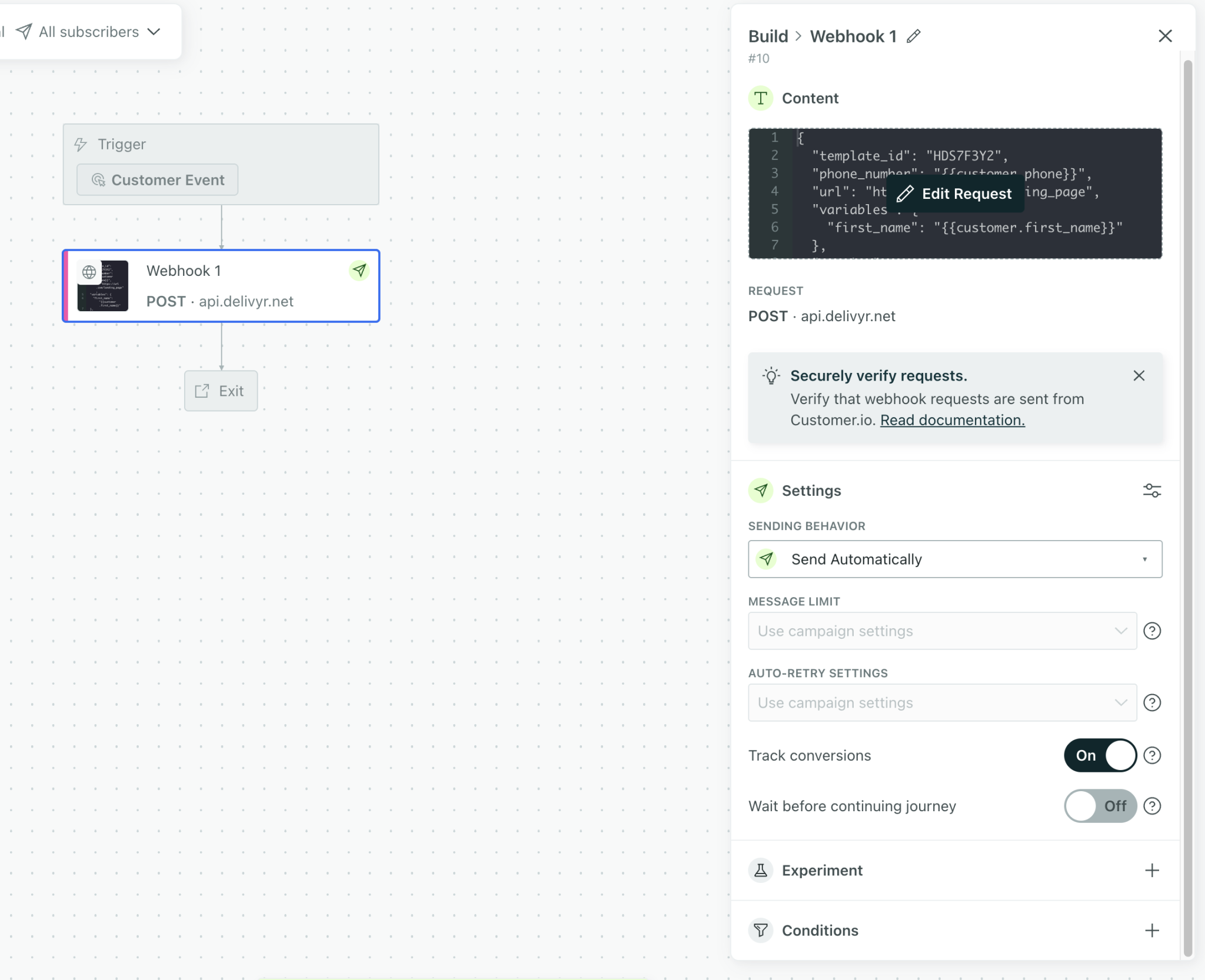
To send a message with Delivyr, create a webhook and enable the “Track conversions” feature.
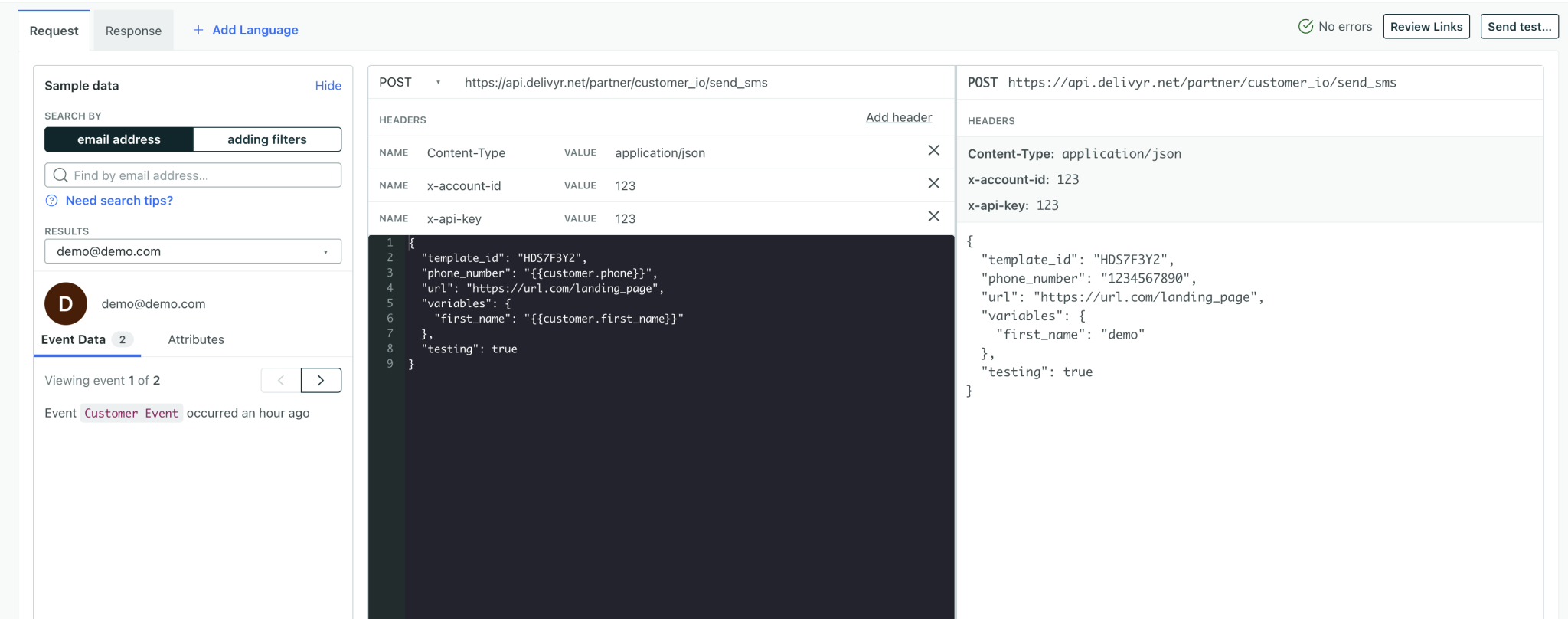
Webhook Configuration
| Endpoint Type | POST |
| Endpoint URL | https://api.delivyr.net/partner/customer_io/send_sms |
Header content-type | application/json (default) |
Header x-account-id Header x-api-key | Login to https://app.delivyr.net and navigate to “Settings” to retrieve your account id and api key. |
Post Body
{
  "template_id": "HDS7F3Y2",
  "phone_number": "{{customer.phone}}",
  "url": "https://url.com/landing_page",
  "variables": {
    "first_name": "{{customer.first_name}}"
  },
  "testing": true
}| Variable | Description |
|---|---|
| template_id | Login to https://app.delivyr.net and navigate to “Templates” and find a template ID you want to use for this message. The ID is 8 character alpha numeric value. |
| phone_number | Use the phone number value stored on your customer.io database. Reminder: Delivyr service is only offered to USA. The format should be stored in E.164 format. |
| url | Where you would like the customer to be redirected to after clicking the link |
| variables | This is only used if the template being referenced has a variable. The templates expect a nested key / value object. Variables in Delivyr templates are enclosed with double curly brackets. |
| testing (optional) | Default value is: false Setting this value to true will record the sms into your Delivyr account as if it was sent, but will not actually deliver the message to the phone. Good for testing the workflow on production endpoints and not accidentally sending unwanted messages to end users. |
Tracking Results
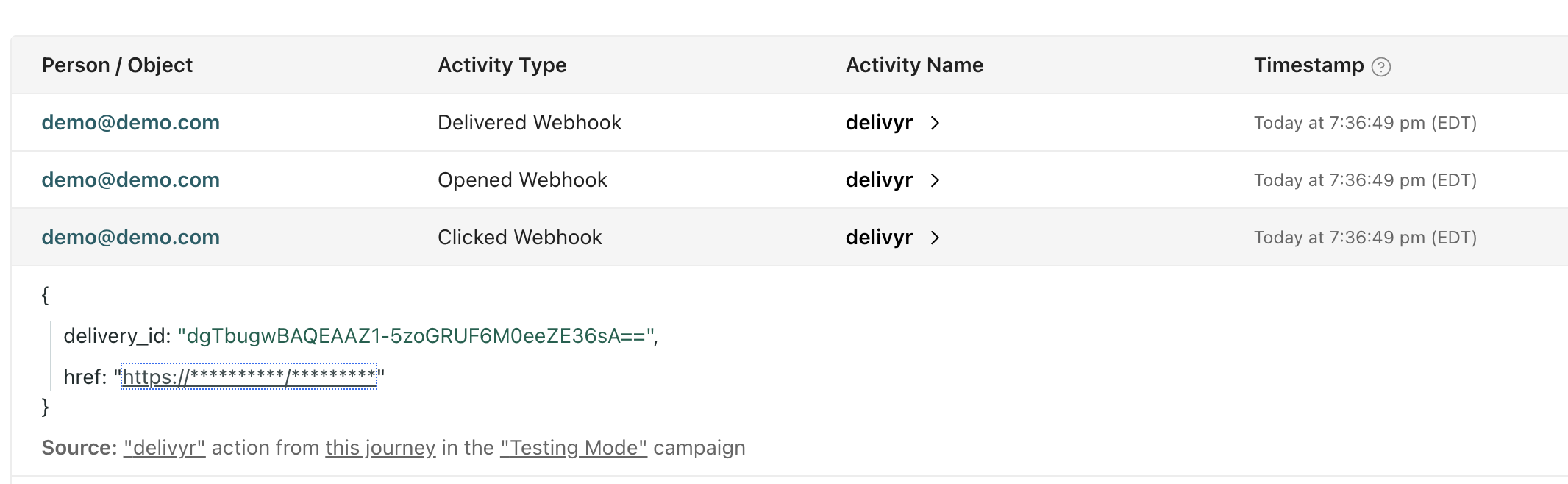
| Event | Description |
|---|---|
| Delivered | Message has been confirmed to be delivered to phone. |
| Clicked | When a user clicks on a link. If the user clicks on the link before a delivery receipt is returned, customer.io automatically creates the opened, and delivered events. |
| Dropped | The message is dropped from being sent upstream by Delivyr and is not billable. Example reasons are invalid phone number format, invalid template_id, missing template variables. |
| Rejected | The message was sent upstream, and rejected by carriers. Example reasons include: Phone number cannot receive SMS (Landline), or phone number is inactive. Rejected messages are billable. |
Updated 2 months ago