
Optimove Triggered Overrides
Only use this feature if you have a specific need of using details from the trigged event to override the personalInfo . This feature expects valid JSONata, and you can use it to grab any portion of the payload to be merged into the Delivyr message request.
Flow of integration logic
The following diagram below is the logic flow of how the triggered overrides is implemented
---
config:
  theme: redux
---
flowchart TB
    A(["1. Optimove Event 11<br>(Track and Trigger)"]) --> B{"2. is personalInfo<br>provided in payload?"}
    B --> C["3a. No"] & D["3b. Yes"]
    C --> n1["Make API request to Optimove, requesting CustomerID."]
    D --> n2["Use the information from personalInfo"]
    n1 --> n3["4. Assume the 1st Customer Attribute from the Delivyr integration is the phone number. All other variables are passed as template variables."]
    n2 --> n3
    n3 --> n4["5. If Triggered Overrides is implemented, parse the variables, and overwrite the payload up to this point."]
    n4 --> n5["6. Enqueue message to be sent"]
Sample Event
This is a sample of what a typical optimove event 11 looks like. In this case, the triggered event is a ootb_balance_update . The event you send to optimove will be passed along in the personalization along with the personalInfo.
{
    "requestId": "824a5915-958f-400f-8266-7f78a30dad15",
    "customerID": "Optimove1",
    "isVisitor": false,
    "actionID": 7,
    "promotions": [],
    "promoCode": [],
    "channelID": 202,
    "channelAdditionalData": null,
    "campaignID": "2.38",
    "templateName": "YFRYM0RJ - Optimove MMS Template 2",
    "campaignSeriesID": "2.18",
    "templateID": 2698724035425,
    "timestamp": "1772509331",
    "personalization": {
      "personalInfo": {
        "ClientCustomerId": "Optimove1",
        "EMAIL": "[email protected]",
        "FIRST_NAME": "Test1",
        "PHONENUMBER": "9998887777"
      },
      "ootb_balance_update": {
        "override_phone_number": "6665554444",
        "timestamp": "2026-03-03T03:42:11Z",
        "ootb_transaction_id": "1",
        "ootb_action": "deposit",
        "ootb_update_amount": 10,
        "ootb_bonus_amount": 0,
        "ootb_balance_before": 0,
        "ootb_balance_after": 10
      }
    },
    "actionName": "Base",
    "triggerName": "OOTB Balance Updated",
    "targetGroupName": "Has a First Name",
    "brandID": null,
    "notes": "",
    "tags": [],
    "sendId": "2.36.36.2698724035425.20260303"
  }
Sample Triggered Override Configuration
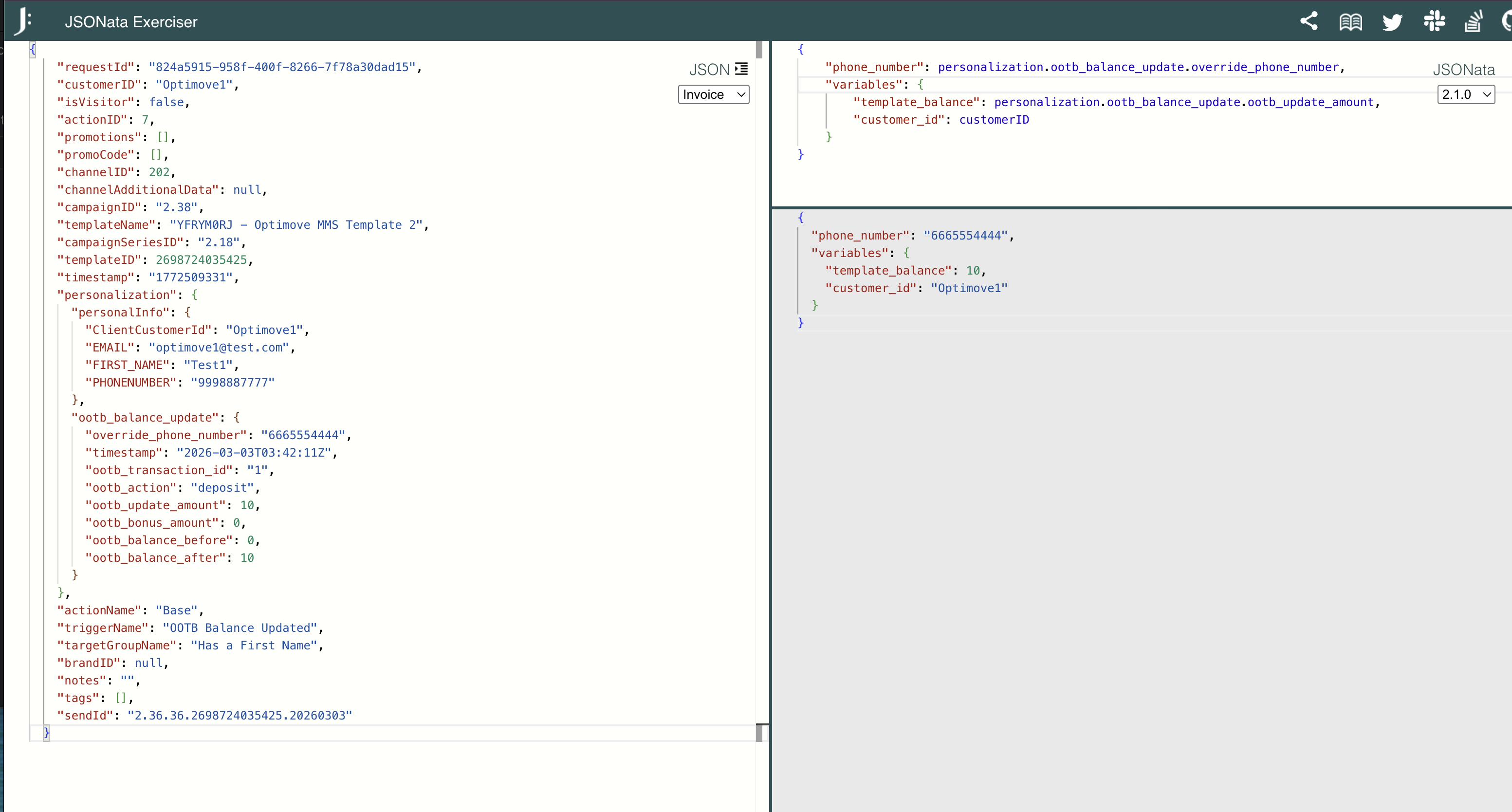
Only define the variables you need. The example below is modifying both the phone number and the template variables.
{
    "phone_number": personalization.ootb_balance_update.override_phone_number,
    "variables": {
        "template_balance": personalization.ootb_balance_update.ootb_update_amount,
        "customer_id": customerID
    }
}
The sample payload and the sample triggered override configuration above will produce the following:
{
  "phone_number": "6665554444",
  "variables": {
    "template_balance": 10,
    "customer_id": "Optimove1"
  }
}
The final format you need to produce is the same as the API for a message request
Use the JSONata Exerciser to learn how to transform the Optimove payload.
Example Flow working with "Customer Attributes"
Lets make an assumption the Customer Attributes in the Delivyr Optimove integration is the following:
PHONENUMBER;FIRST_NAMEFrom the flow chart, at step # 4 the payload will look like the following.
{
  "phone_number": "9998887777",
  "variables": {
    "clientcustomerid": "Optimove1",
    "email": "[email protected]",
    "first_name": "Test1"
  }
}
The triggered override in step #5 will produce:
{
  "phone_number": "6665554444",
  "variables": {
    "template_balance": 10,
    "customer_id": "Optimove1"
  }
}
What is produced in #5 will overwrite #4. In this example the final payload will look like this:
{
  "phone_number": "6665554444",
  "variables": {
    "clientcustomerid": "Optimove1",
    "email": "[email protected]",
    "first_name": "Test1",
    "template_balance": 10,
    "customer_id": "Optimove1"
  }
}
Notice how the phone number is 6665554444 not 9998887777 because it was overwritten.
Updated 6 months ago