
Exporting Data
Where to find my exports?
Find the Exports menu item on the left side
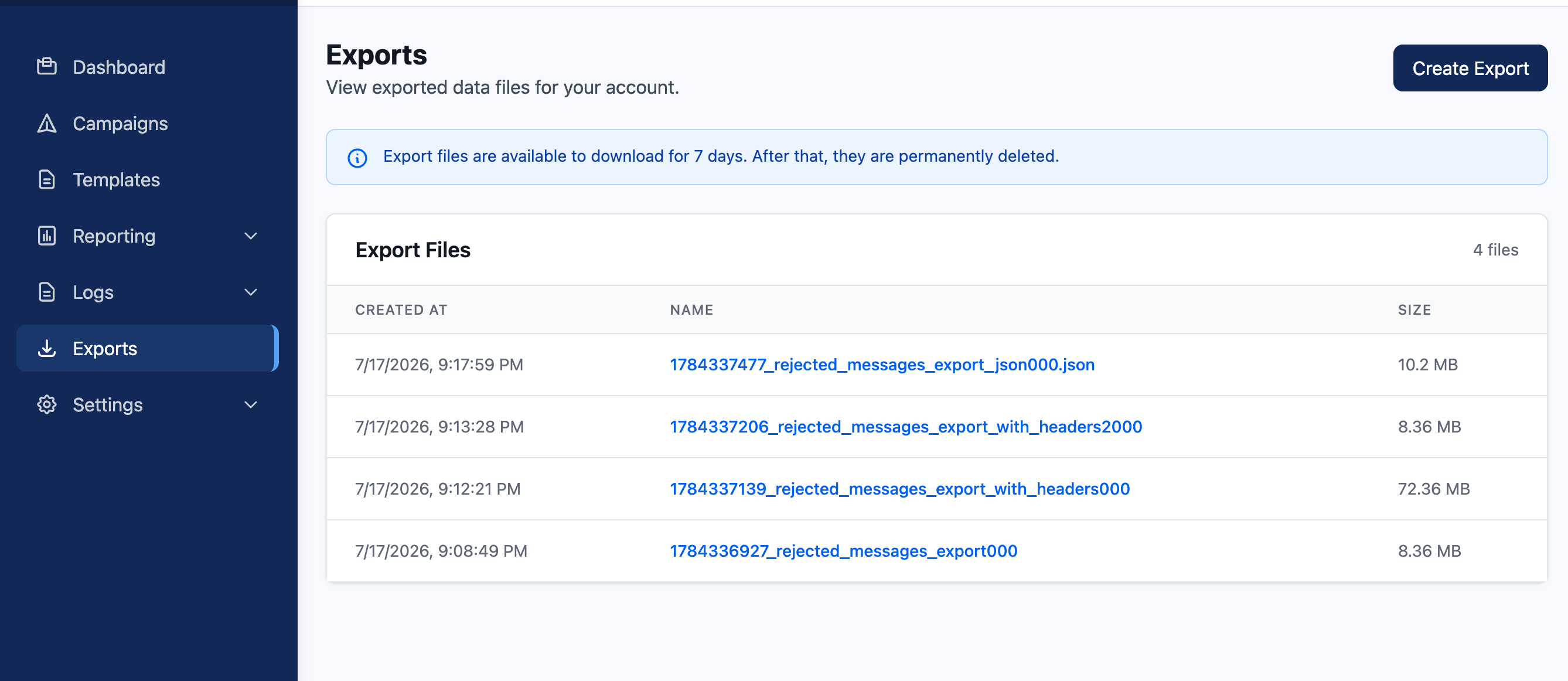
How to generate a new export
Navigate to the Exports on the left side menu and then click on Create Export
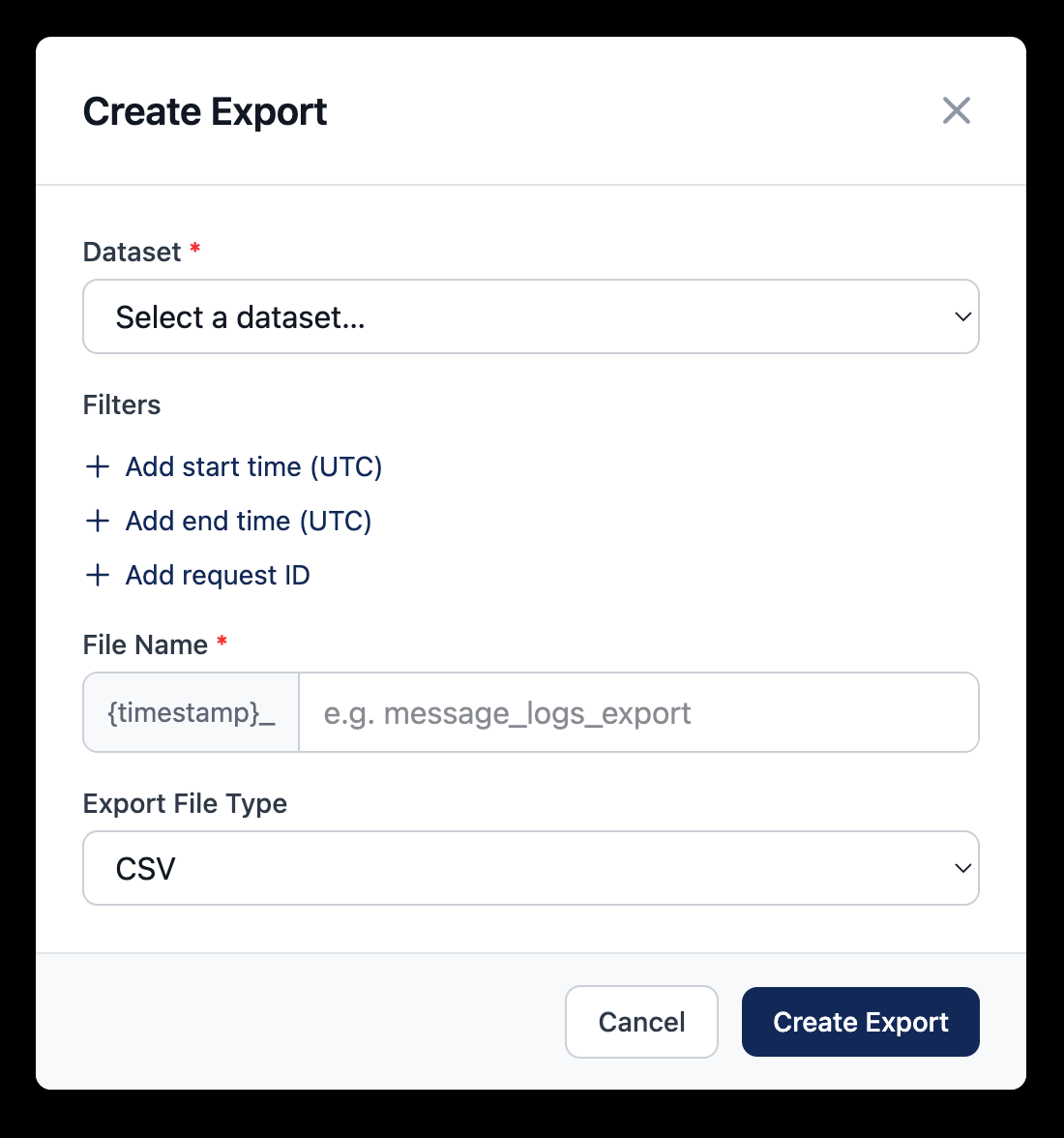
- Select the dataset to export:
- Account Opt Outs
- Event Logs (Clicks)
- Message Logs
- Rejected Messages
- Incoming Logs
- Receipt Logs
- Optionally add filters:
- Start Time (UTC) — include records from this time onward.
- End Time (UTC) — include records up to this time.
- Request ID — export records associated with a specific request.
- Request ID = Campaign ID if using CSV campaigns
- Review or edit the generated file name. The system automatically prefixes it with a timestamp.
- The name must begin with a letter or number.
- It may contain letters, numbers, periods, underscores, and hyphens.
- Select an export file type: CSV, Parquet, or JSON.
- Click Create Export and keep the window open while it is generated.
Choosing an Export File Type
All file types contain the same exported records. Choose the format based on how you plan to use the data.
CSV
Best for spreadsheets and simple data processing.
- Opens easily in Excel, Google Sheets, and most database tools.
- Includes a header row containing column names.
- Stores all values as plain text, so data types may need to be restored when importing.
- Usually larger than Parquet.
- Recommended for manually reviewing, sharing, or editing export data.
JSON
Best for applications, scripts, and API-style workflows.
- Represents each record as a JSON object.
- Uses newline-delimited JSON: each line is a separate object rather than one large JSON array.
- Preserves the relationship between column names and values.
- Easy to process with JavaScript, Python,
jq, and many data tools. - Usually larger than Parquet and may be less convenient for spreadsheets.
Parquet
Best for analytics and large datasets.
- Uses a compressed, column-based binary format.
- Usually produces smaller files and faster analytical queries than CSV or JSON.
- Preserves data types more accurately.
- Works well with tools such as Amazon Athena, Redshift, Spark, pandas, and other data warehouses.
- Cannot be opened directly in a normal text editor and may require specialized software.
Updated 3 months ago
Did this page help you?