
Fast Track
Integration Guide for Fast Track AI
Requesting the Delivyr Plugin
Please contact your Solutions Consultant, or Partner Manager to enable sending SMS via Delivyr. While they configure the integration, please provide them with all the template variables you wish to use in your messages. The most common variable is "first_name "
How to send
Choose theSend SMS action
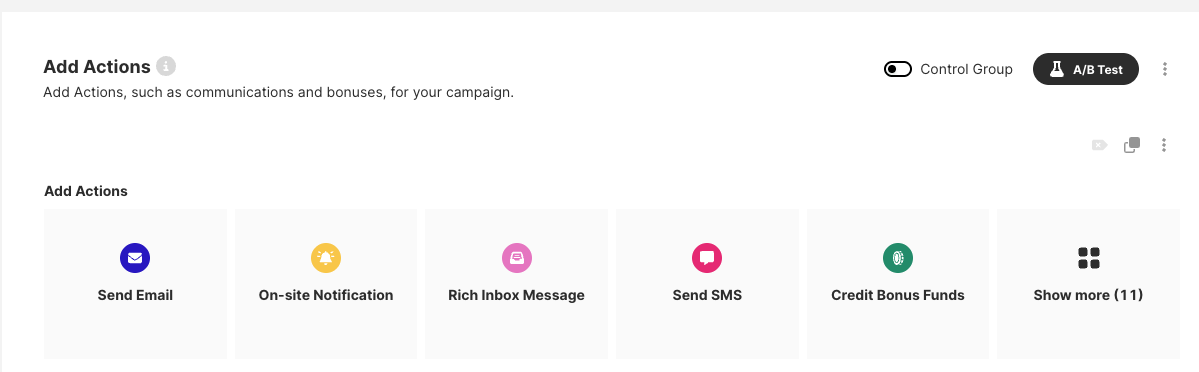
The following interface will appear.
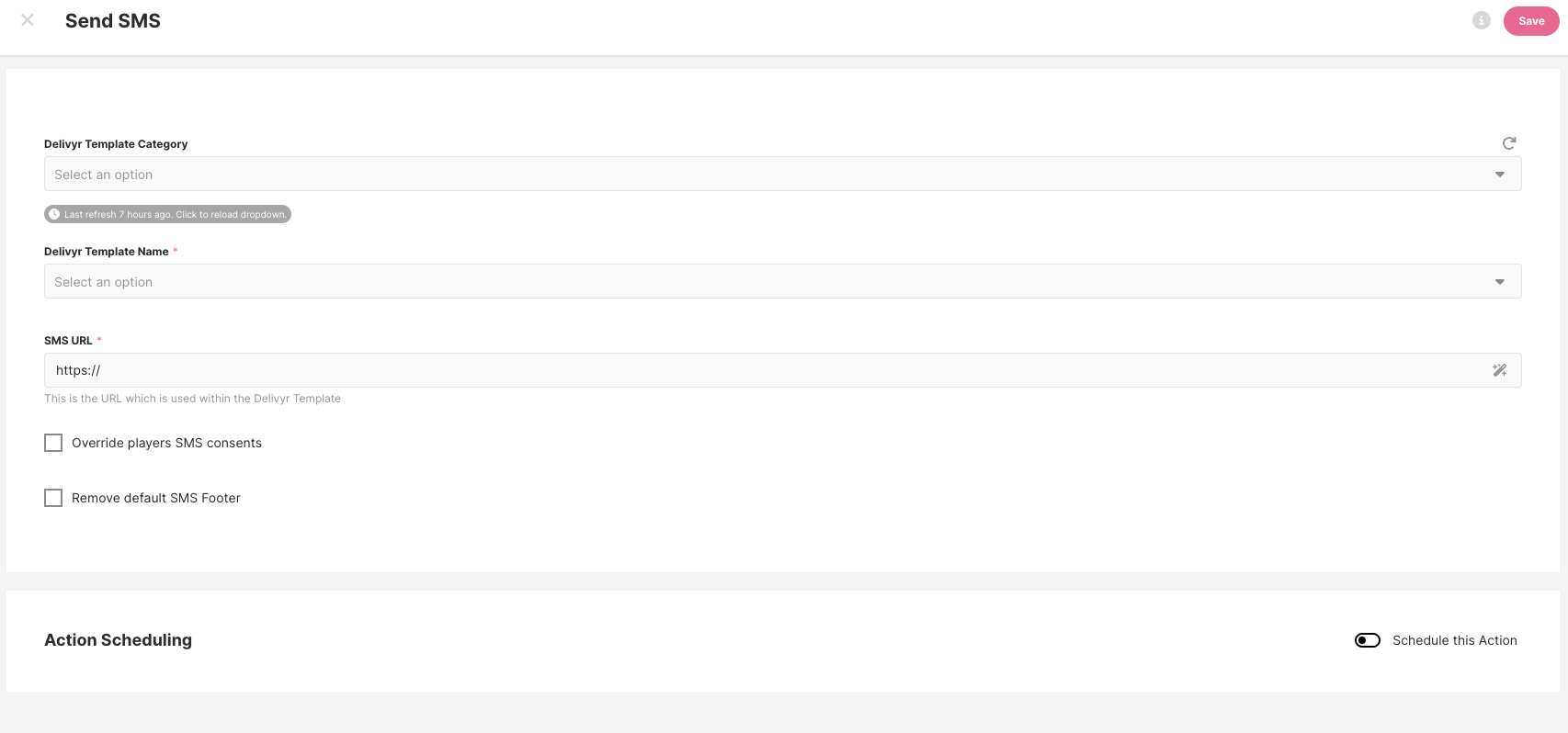
- Choose a template category. In the Delivyr system, each template "tag" will be displayed as a "Delivyr Template Category" in the Fast Track interface.
- Choose the SMS template you wish to send. Only approved custom templates are available to be selected. Default system templates are not selectable, to not clutter up the interface with unwanted options.
- Paste your call to action URL. This is where the user will be sent to after clicking the link in the message. Your links will be link shorted by the domain that is setup on the account.
Reporting Metrics
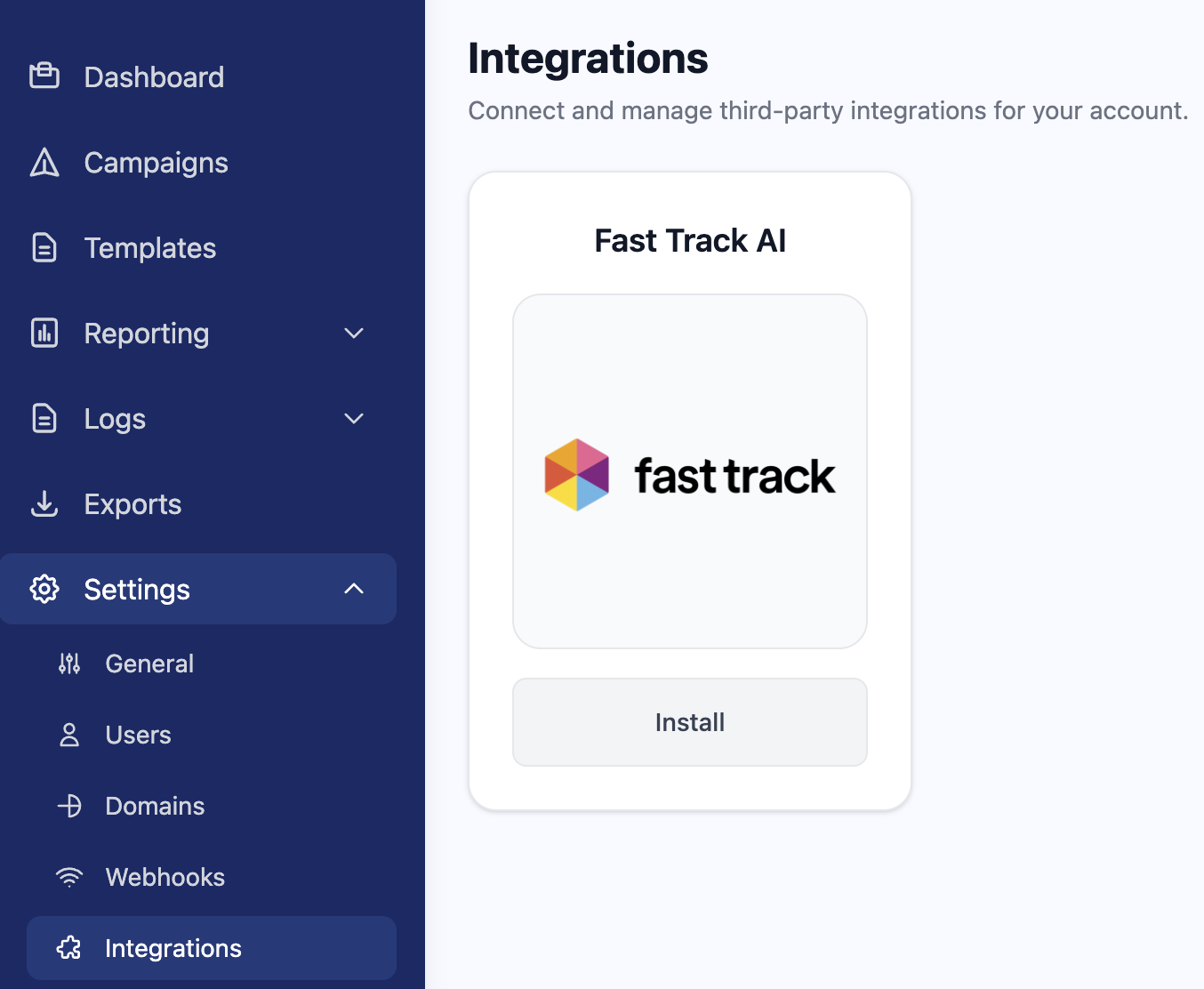
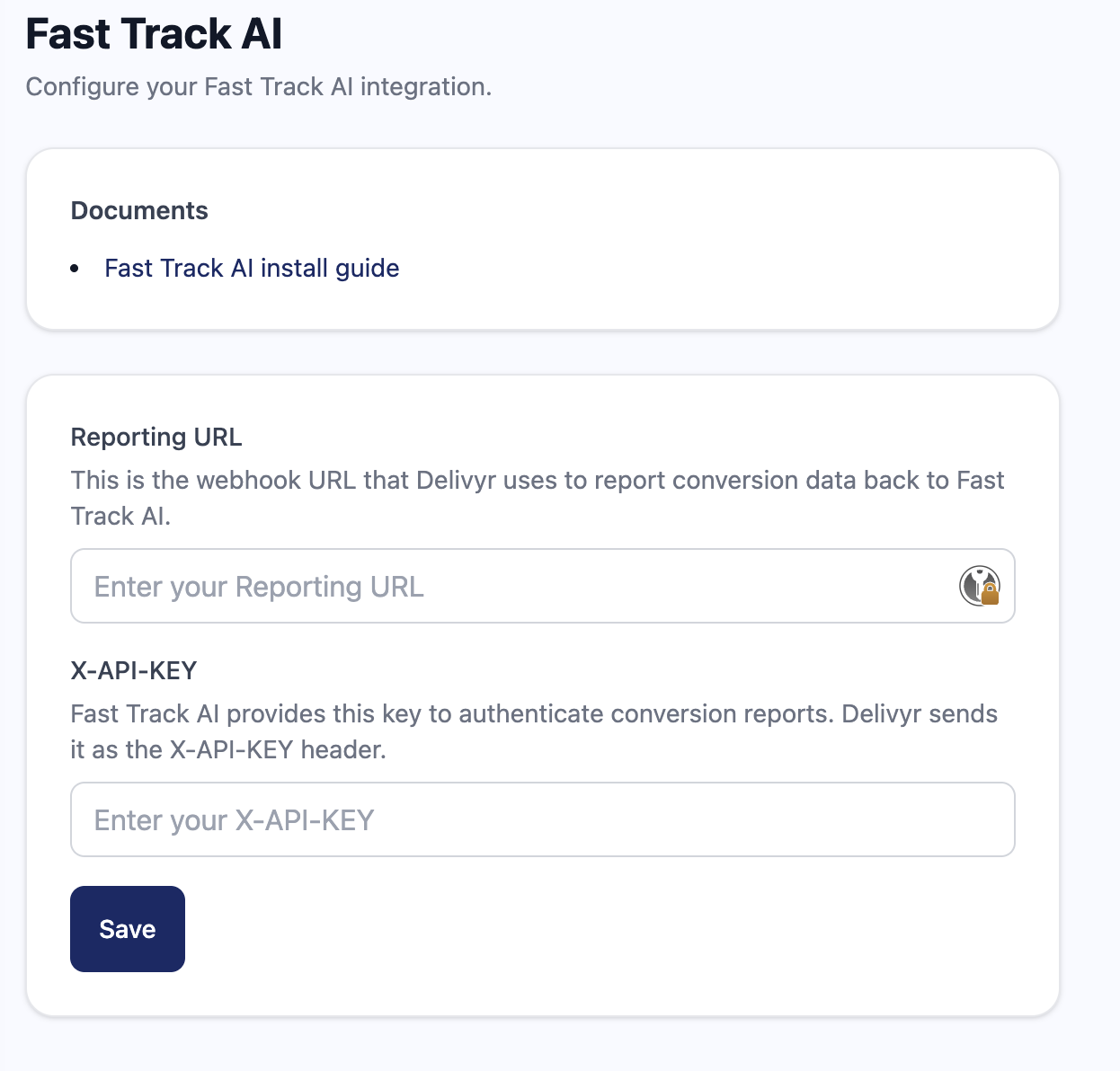
Navigate to Settings --> Integrations and look for the Fast Track AI integration, and enter in the Reporting URL and X-API-KEY that your Solutions Consultant, or Partner Manager has provided.
Updated about 2 months ago
Did this page help you?